Blue Marble Health’s Health in Motion is an evidence-based Fall Risk Assessment and Fall Prevention Program, which utilizes Internet-enabled computers or tablets to instruct patients and collect patient outcomes. Its assessments and activities are based in the CDC’s STEADI (Stopping Elderly Accidents, Deaths & Injuries) program, OTAGO Fall Prevention Program, and Tai Chi.
Health in Motion is playable on an Android tablet, iPad, Windows 10 PC and OS X computer. The player can play in home / clinic / school – anywhere they can take a device and have an internet connection.
OVERVIEW
Typical standard of care requires costly training of a healthcare professional and sending them on-site for patient instruction and follow-up. In order to ensure the patient is properly trained, the clinician must visit multiple times. When patients are remote or in a heavily congest city, travel times for the therapist can be expensive.
Health in Motion’s assessments and exercises are taught and delivered to the patient via an Internet-enabled computer or tablet. Evaluation and training take place when and where the patient is ready for it.
ROLES AND CONTRIBUTIONS
MENU PROGRAMMING
Routine Creation and Selection
In Health in Motion, Clinicians and Players can create exercise routines using the Routine Creation menu. Any number of exercises can be added to a routine and each exercise can be modified to suite the needs of the player. This includes setting reps, holds, sets, speed, and even range of motion. These settings are then used in the game to adjust requirements for the player’s performance. The user can even specify if they want to use support or weights, which will then remind the player to take a moment to grab a support item or enter the amount of weights being used.
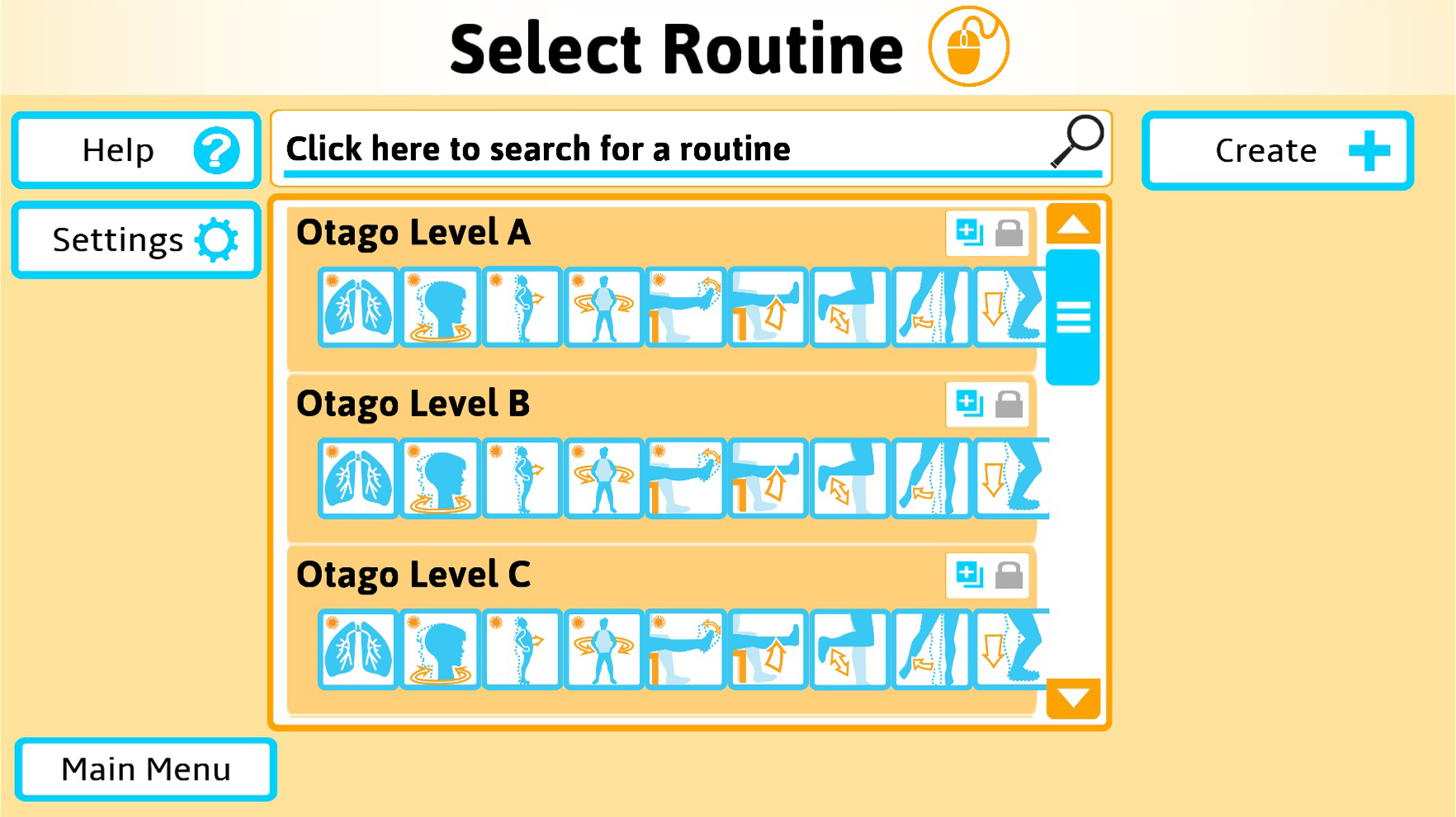
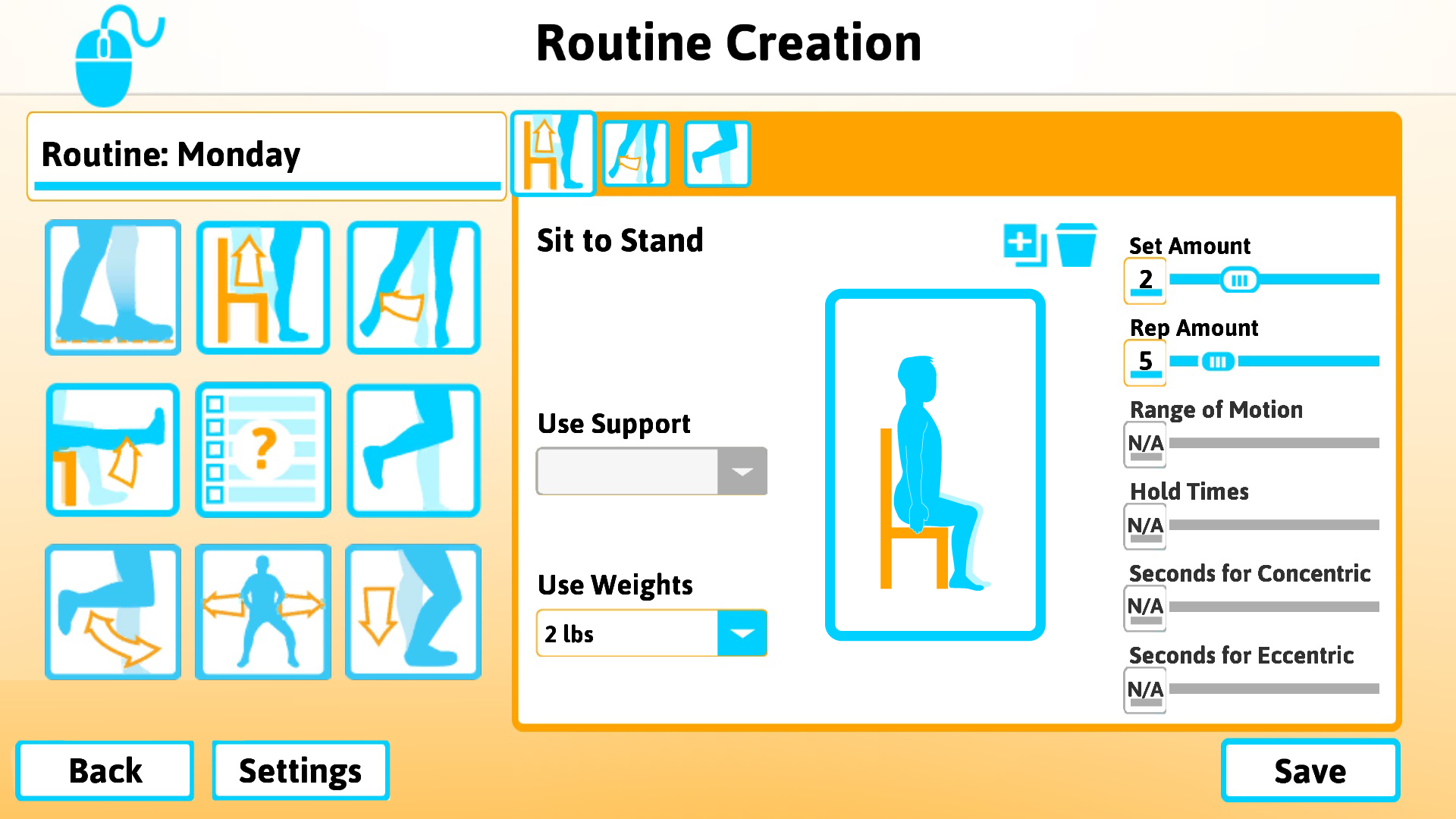
During implementation of this menu, I worked with the companies researchers and physical therapists to come up with interface requirements that would best suite clinicians and patients. I also got to work with senior citizens that came in to playtest. Working so closely with such diverse sets of people was definitely the most rewarding part of my time at Blue Marble Game Co.
PLAYER RESULT SCREENS
After players perform exercises and/or evaluations they are presented with these screens to show them how they did.

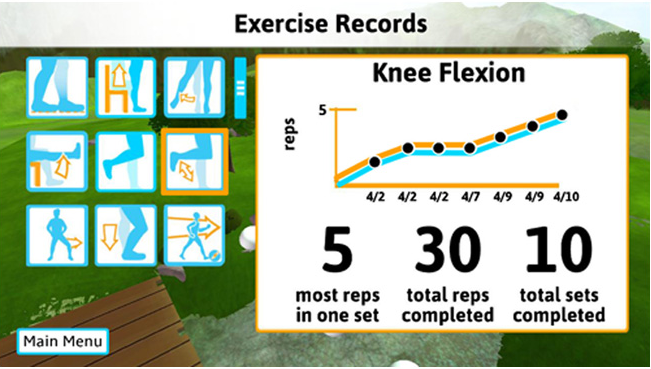
The first results screen is for the Falls Risk Assessment, which shows the players scores compared to clinical expectations. The Exercise Records screen shows the player a graph of how they have performed across time. They are both dynamic and will adjust to any number of exercises and will paginate results when appropriate.
ANIMATION CAPTURE AND SCRIPTING
One of the first features I worked on at Blue Marble, was to create 3D animations using marker-less motion capture and allow them to be scripted for all the different exercises in the game.
Having not worked with 3D animations before, it felt like being thrown in the deep end, but I feel like I learned a lot from the experience. I ended up making some tools and an asset workflow, which came in handy when we actually got an artist on staff to create new animations. This taught me how to work with artists and designers later on, to create tools that were easy to use.

PROJECT LINKS
Game page from Blue Marble Game Co.
 Andrew Truman Neff