RESET is an application playable on an Android tablet, Windows 7 PC, OS X computer but is optimized for the Samsung PixelSense. The player can play in the school / home / clinic / community center – anywhere they can take a device and have an Internet connection.
OVERVIEW
RESET provides a new approach to evaluating attention, memory, and executive function; addressing the mismatch between the needs and tools of teachers/coaches/ clinicians. Metrics are needed to quantitatively demonstrate that “players” are progressing in their treatments, but many of their tools were designed decades ago and are not as effective in today’s data-driven society. RESET evaluations provide objective outcomes using software designed to help overcome these challenges, by transforming evaluations into games that engage a player’s emotions and interest. Evaluations will be easier and faster to administer, score, and interpret, creating a more efficient system for assessment and treatment.
ROLES AND CONTRIBUTIONS
GAME/ASSESSMENT PROGRAMMING
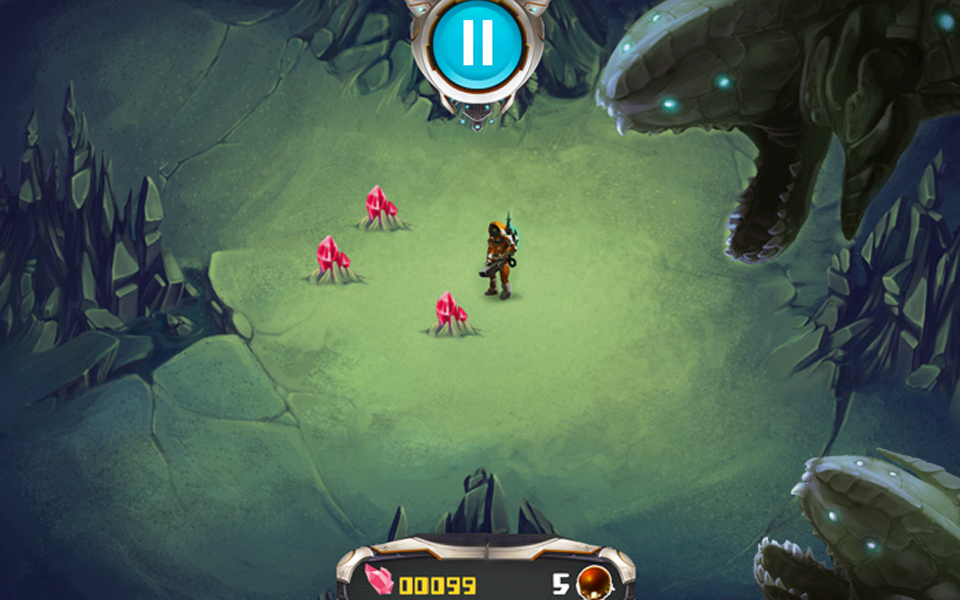
RESET is basically a set of mini-games made to recreate assessments that have been used to track cognitive performance. It consists of about 20 of these games, some of which look like typical mobile games and others are in the “classroom style” to mimic how the tests are traditionally performed.
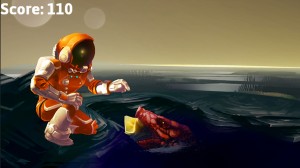
I worked on fixing legacy bugs for almost all the games, as well as completely remaking one of them called Go-No-Go (Seen above where the astronaut is near the scary puddle alien). The game/assessment has simple mechanics: tap gems when they pop up out of the water, but don’t tap the alien or it will bite you. The pace of these trials increases until the game is over.
During work on this game, I coordinated with both an artist and a designer so that future work on the game would be as smooth as possible. I created an XML parameters file for the designer that could be used to modify things like the rate at which the trials occur, the colors of gems at different stages, and score modifiers. I worked with an artist to get his animations into the game and make sure updating them later would be simple.
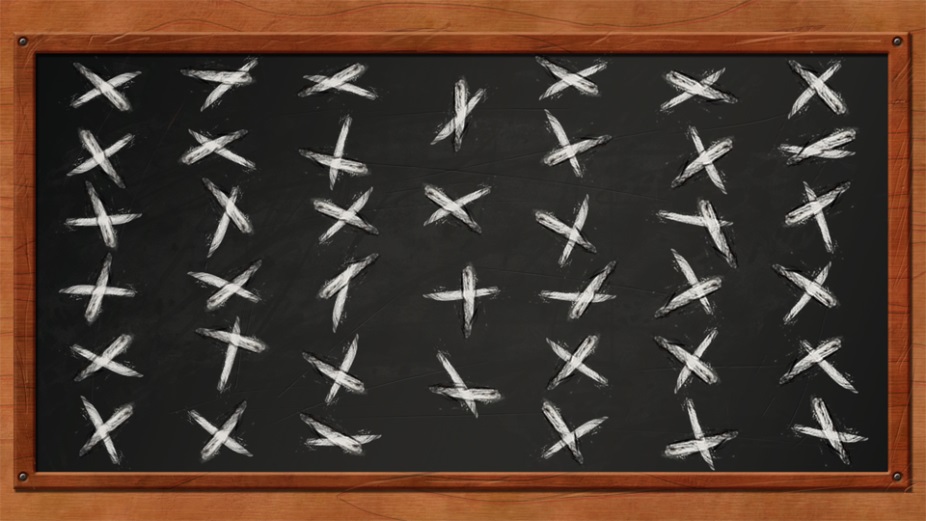
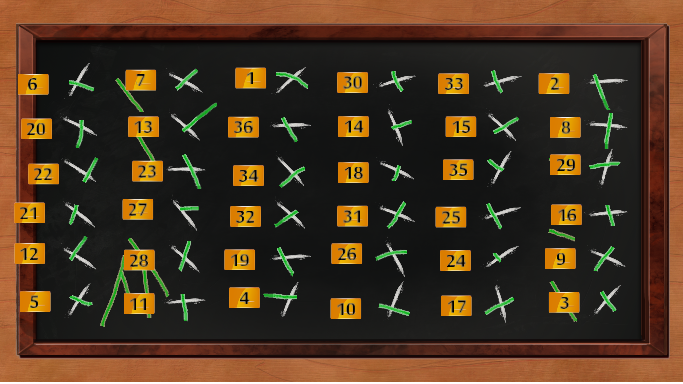
For all of the other mini-games, I updated the data that gets collected about player performance. This involved calculating hundreds of variables as well as creating customized results screens for clinician use. For example: The images above are from an assessment called “Line Crossing.” The image on the left is what it looks like after the player is finished with the task of crossing all lines. The image on the right is what appears to clinicians on the company’s server. The green lines are ones that the player made and the numbers tell which order the lines were crossed.
MENU AND FEATURE PROGRAMMING
I created the main Evaluations Menu which shows all of the assessments organized by categories. The player can create a routine by pressing any number of assessments and pressing Start. There are also some special features that I developed that clinicians need in order for the data to be valid. These were mostly ways to lock out players from playing assessments at the wrong time. So that if players started a memory assessment, and the tried to restart it from the beginning to get a better score, that game would be locked out for a day.
 Andrew Truman Neff